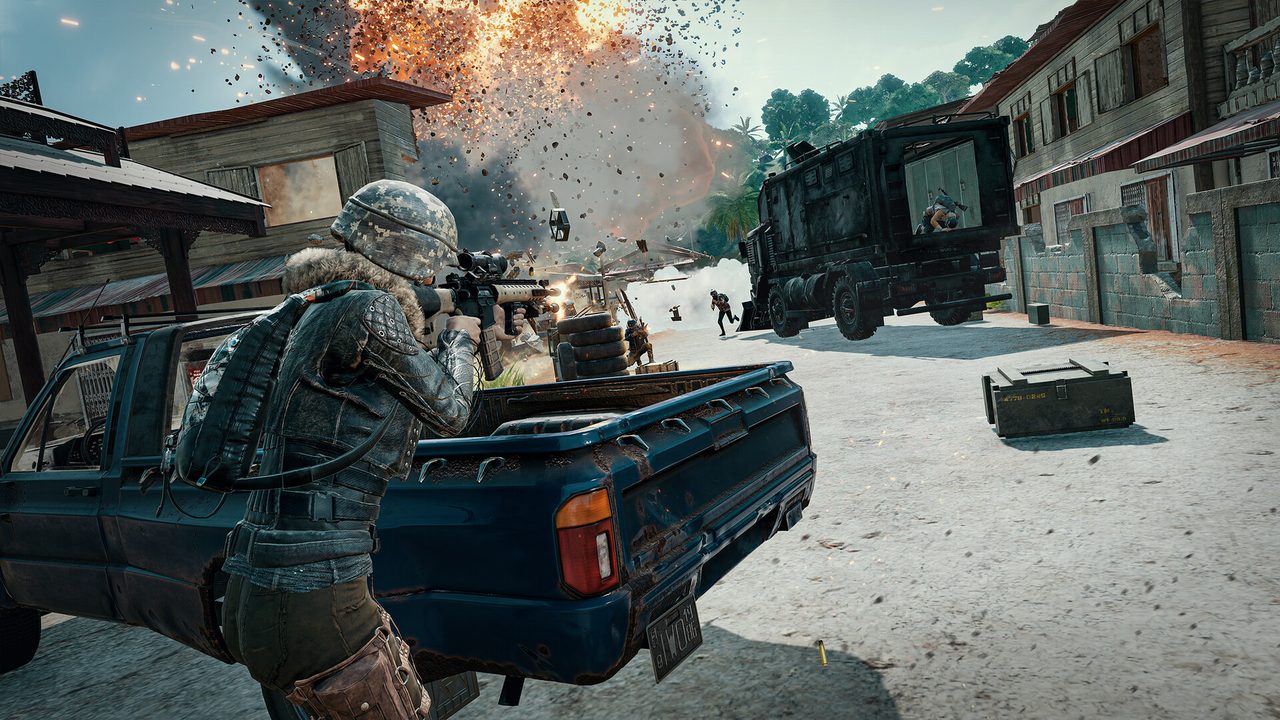
The most persistent myth in PUBG settings is that View Distance controls how far away you can see enemies. It does not. Player and vehicle draw distance is set by the server, identical for everyone in the lobby, because a battle royale where the person with the better graphics card sees you first would not survive a week. View Distance controls environmental detail: terrain and building level of detail, when a hillside stops being a low-poly lump and becomes a hillside.
That distinction changes what the setting is for. It is not a competitive advantage dial, it is a distraction dial. Set it Low and you get the most frames and the most pop-in, buildings assembling themselves as you drive at them. Set it Medium or High and the world stops rearranging itself in your peripheral vision, at a modest cost. Most people are better served by Medium than by the Low that every “max FPS” guide tells them to pick, because a landscape that keeps changing shape is a genuine handicap when you are scanning a ridgeline.
KRAFTON’s published requirements give you the frame of reference. Minimum is an i5-4430 or FX-6300, 8 GB of RAM and a GTX 960 2GB or R7 370 2GB. Recommended is Windows 10, an i5-6600K or Ryzen 5 1600, 16 GB, and a GTX 1060 3GB or RX 580 4GB, with 50 GB of storage. Those are old parts now, and they describe a machine that runs the game, not one that runs it at the frame rate a competitive player wants.
The settings that move the frame rate
The measured impact order that the optimisation community keeps arriving at, roughly: Post-Processing is the biggest single lever, then Effects, then Shadows, then Anti-Aliasing. Foliage is its own case, discussed below. Precise percentage gains depend heavily on your CPU and GPU balance, so take any specific number you read, including in the guides that produced this ordering, as an indication of rank rather than a promise about your machine.
Post-Processing: Very Low. Non-negotiable. It costs the most and it actively hurts you, adding bloom and haze over exactly the distant, low-contrast shapes you are trying to resolve.
Effects: Very Low. Muzzle flash, smoke and explosion detail. Cheaper to render and easier to see through.
Shadows: Very Low or Low. PUBG’s shadows are not the readable positional cue they are in an indoor shooter. The maps are outdoors and mostly lit flatly.
Anti-Aliasing: Low or Very Low. Some players prefer it higher because a jagged distant player model is harder to identify. Try both. This is one of the few genuinely personal calls.
Textures: match your VRAM. On a card with 8 GB or more there is no reason to run textures below High. Texture quality is a memory cost, not a per-frame cost, and dropping it buys you nothing while making surfaces harder to read.
Foliage: leave it alone, but know what it does. Foliage is CPU-heavy and it is the one setting where lowering it changes what you can see. Less grass means a prone player in a field is more visible, to you and to them. Both directions are defensible. What is not defensible is lowering it for frames without understanding you have also changed the visibility contract you are playing under.
Fullscreen, motion blur off, V-Sync off, and the refresh rate set correctly in Windows. The last one catches more people than anybody admits.
View Distance is a pop-in setting, not a spotting setting. If a guide tells you Low helps you see players sooner, stop reading that guide.
Audio, where the real money gets wasted
PUBG’s positional audio is good, and the single most common way people ruin it is by stacking a second spatial engine on top of it.
Turn HRTF on in the game. This is PUBG’s own head-related transfer function processing, and it is what gives you front-to-back and vertical separation. Without it you get left and right and very little else, which is useless in a game played across three floors of a building.
Then turn off every other spatial audio system on the machine. Windows Sonic for Headphones. Dolby Atmos for Headphones. DTS Headphone:X. Whatever virtual surround mode shipped with your headset’s control software. These do not stack with HRTF, they compete with it, and the result is smeared directionality that feels worse than plain stereo. In Windows, right-click the speaker icon, open the sound device properties, and set spatial sound to Off.
Set the headset to stereo, not 7.1. A 7.1 mode on a two-driver headset is a virtual surround processor by another name, and you have just spent a paragraph turning those off.
What a headset is actually worth here
Footsteps in PUBG live in surface texture and upper-mid detail, not in bass. This matters because the headset market sells bass. A big warm consumer headphone with an emphasised low end is a worse PUBG headset than a flat, slightly bright one that costs half as much, because the low end is masking the frequencies carrying the information you need.
That points at a specific spending strategy:
- A competent wired stereo headset in the $60 to $120 band, chosen for a neutral or bright tuning and a comfortable clamp, does the job. You will be wearing it for four-hour sessions, so comfort is a performance feature.
- Wireless costs money and adds a latency budget you do not need at a desk. Buy it if the cable genuinely annoys you, not because it is more expensive.
- An external DAC or amplifier does very little for a gaming headset with an easy-to-drive driver. It becomes relevant for high impedance studio headphones, which is a different purchase with a different justification.
- A separate microphone is a real upgrade and completely unrelated to hearing footsteps. Keep the two decisions apart, because bundling them is how a $90 problem becomes a $300 one.
If you want to go further, a light EQ that cuts some low end and gently lifts the upper mids does more than any hardware in this price range. Do it in your system EQ or the headset software, keep the adjustments modest, and check it against a real match rather than a YouTube footstep test.
The honest summary: PUBG’s settings menu contains one setting most people misread, one audio toggle most people leave off, and a pile of Windows options actively working against the game. Fixing all of that costs nothing. The headset conversation only starts afterwards, and it starts a lot cheaper than the marketing suggests.
Sources: PUBG Support: minimum and recommended requirements, SmoothFPS: best PUBG settings, Dovesonic: PUBG audio settings and EQ guide, Hone: best PUBG PC settings