Zero Company launched on 27 August 2026, and EA did something most publishers still refuse to do: it attached a performance target to each requirement tier instead of leaving you to guess what “recommended” means. That alone makes the spec sheet worth reading properly.
Here is what EA publishes, verbatim in substance.
Minimum, targeting 1920x1080 at 30 fps on the Low preset: 64-bit Windows 10 or 11, with Windows 11 recommended. An Intel Core i5-8400 or AMD Ryzen 5 2600X. 16 GB of RAM. An NVIDIA GeForce GTX 1080, an AMD Radeon RX 5600 XT, or an Intel Arc B580. DirectX 12. 50 GB of storage.
Recommended, targeting 2560x1440 at 60 fps on the High preset: same operating systems. An Intel Core i7-10700K or AMD Ryzen 7 3700X. 32 GB of RAM. An NVIDIA GeForce RTX 3080 or AMD Radeon RX 7800 XT. DirectX 12. 50 GB.
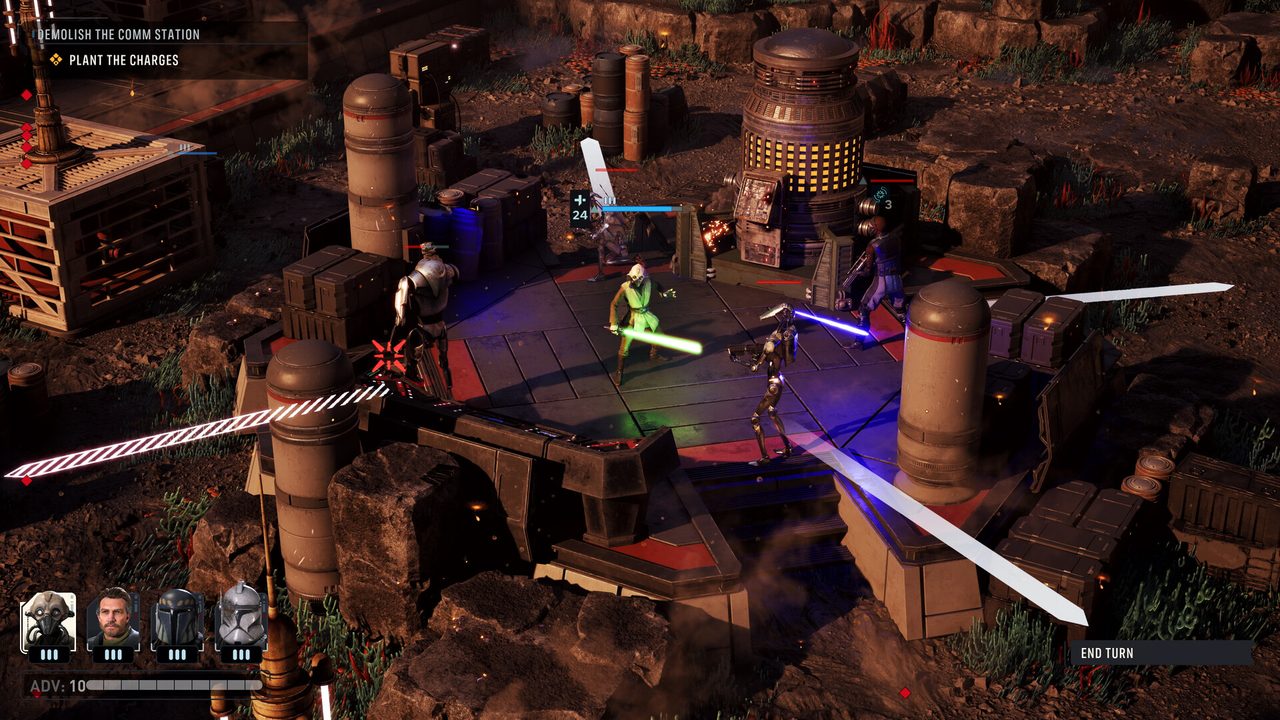
The game is built on Unreal Engine 5, it is single-player turn-based tactics from Bit Reactor, and it is on Steam and the Epic Games Store alongside PS5 and Xbox Series X and S versions.
Reading it properly
The minimum GPU is high for the target. A GTX 1080 to reach 1080p30 on Low is a demanding floor. That is Unreal Engine 5’s rendering stack talking, not the number of units on the battlefield. If your card sits below that line, the honest answer is that this is not a game you tune your way into. There is no settings trick that recovers two generations of GPU.
32 GB at the recommended tier is the eyebrow-raiser. For a turn-based tactics game with a camera locked to an isometric view, that is a lot of memory. It is consistent with the broader trend of UE5 titles asking for 32 GB, and it is worth taking seriously rather than assuming it is padding. If you are on 16 GB and hitting stutter that does not track with GPU load, memory pressure is the first thing to check before you blame the graphics card.
The CPU spread is narrow. An i5-8400 to an i7-10700K is not a wide gap, which fits the genre. Turn-based combat does not generate the simulation load that keeps a CPU busy in a real-time strategy game. Do not read the recommended CPU as the thing standing between you and 1440p60. That job belongs to the GPU.
DirectX 12 only, and no DirectX 11 fallback listed. Older cards that were technically alive under DX11 are simply out.
A publisher stating “1920x1080, 30 fps, Low preset” instead of the word “minimum” is the most useful thing on this page. Judge every other spec sheet against it.
Where to spend, if you are short
The spending order for this specific game is unusual because the CPU requirement is soft and the GPU requirement is hard.
Graphics card first, and it is not close. The gap between the minimum and recommended GPU tiers is the entire distance between 1080p30 on Low and 1440p60 on High. If you are buying one part, buy this one. The recommended tier names an RTX 3080 and an RX 7800 XT, both of which are previous-generation cards now, which means the used and clearance market is doing you a favour rather than the launch pricing.
RAM second. Going from 16 GB to 32 GB is the cheapest meaningful upgrade in the whole list, assuming your board has free slots and you can match the existing kit’s speed and timings. If you cannot match them, replace the kit rather than mixing, because mismatched memory that refuses to run at its rated profile is worse than the 16 GB you started with.
CPU last. If you are already at or near the minimum CPU, a chip upgrade for this game alone is poor value. That money belongs in the GPU.
Settings and display
A few practical notes, with the caveat that this is a fresh release and driver behaviour will keep moving for a while:
- The two presets EA benchmarks against, Low and High, are the ones with published targets. If you land between them, start from the nearer preset and adjust rather than building a custom profile from scratch.
- Upscaling is the obvious lever for a 1440p or 4K screen on a card below the recommended tier. UE5 titles generally expose DLSS, FSR or XeSS depending on your hardware. In a turn-based game with a slow camera, upscaling artefacts are far less objectionable than they are in a shooter, which makes this an easier trade here than almost anywhere else.
- Frame rate matters less than frame consistency in a game where nothing is reflex-driven. A locked 60 that never wavers reads better than an average of 85 with regular dips.
- 50 GB on an SSD. UE5 games stream assets constantly and a mechanical drive produces hitching that looks exactly like a GPU problem.
The overall picture is a game with an honest spec sheet, a demanding graphics floor, a memory requirement worth respecting, and a CPU requirement you can mostly ignore. That is a rare and quite convenient combination: for once, the upgrade path is one part.
Sources: EA: STAR WARS Zero Company PC system requirements, EA Help: platforms and PC requirements guide